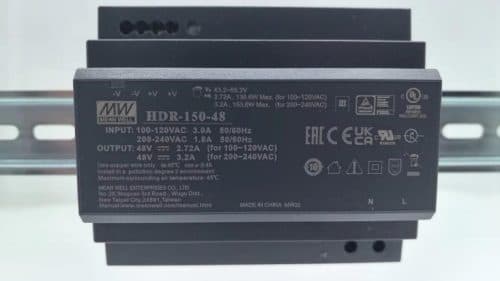
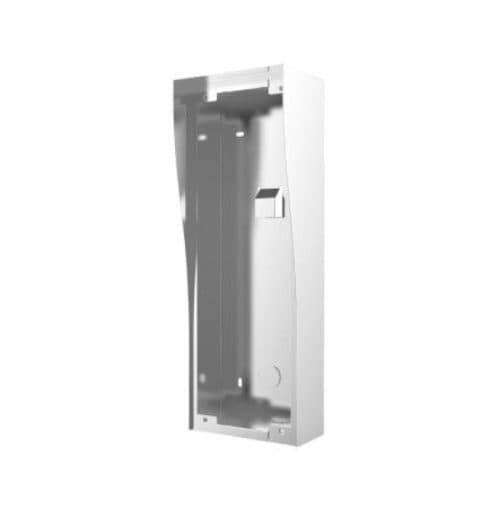
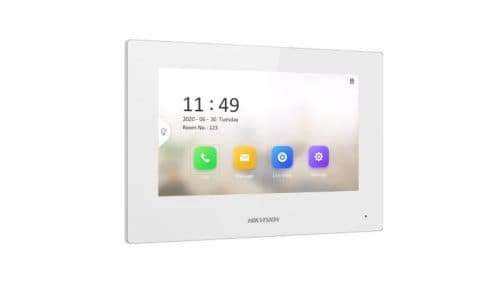
Product image. Check the selected model, lens, colour and package contents before ordering.
Product details
Brand
Hikvision
Model / SKU
DS‑KH6110‑WE1
Equipment
Intercom
Hikvision · Intercoms
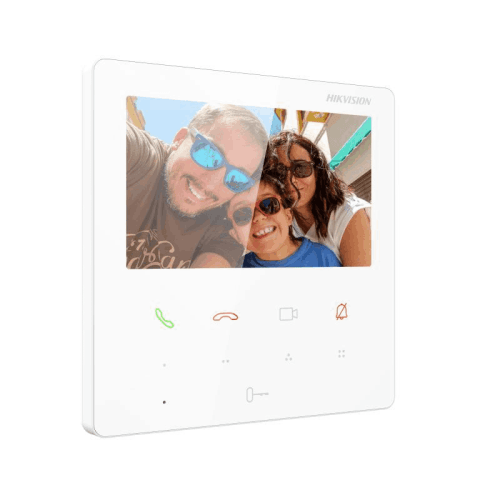
Hikvision DS-KH6110-WE1 (White) 4.3″ IP Indoor Station with Wi-Fi & PoE
Model / SKU: DS‑KH6110‑WE1
Hikvision DS-KH6110-WE1 (White) 4.3″ IP Indoor Station with Wi-Fi & PoE. Compact 4.3″ touch-screen IP indoor station with PoE power, live video view of door stations and linked cameras, Wi-Fi support and four user-customisable hot-touch buttons. Ideal for residential or small commercial intercom use. DS-KH6110-WE1_White_Datasheet_20240815 The Hikvision DS-KH6110-WE1 White is a modern and cost-effective IP indoor monitor designed for seamless integration with Hikvision door stations and cameras. Its compact 4.3″ colour touch screen provides a clear, responsive interface for managing calls, unlocking doors, and viewing live video feeds. This unit supports both PoE (IEEE 802.3af) and Wi-Fi connectivity , making installation flexible in both new and retrofit environments. Through the Hik-Connect app , users can receive visitor calls, view cameras, and unlock remotely using a smartphone. The interface includes four customisable hot-touch buttons for quick access to functions such as unlock, intercom, or camera view. Up to 16 indoor extensions can be linked for multi-room setups, ideal for villas or small apartment complexes. Designed for convenience and efficiency, the DS-KH6110-WE1 consumes less than 4 W of power, offers simple wall or table mounting, and features a slim 21 mm profile for discreet indoor placement. Key Features 4.3″ colour capacitive touch screen (480 × 272) PoE power (IEEE 802.3af) or 12 V DC input Wi-Fi (2.4 GHz) support alongside wired Ethernet Live view and app integration with linked door stations and cameras Four user-customisable hot-touch buttons Supports up to 16 indoor extensions Supports major protocols: TCP/IP, SIP, RTSP Event/notice capacity: 200 each Compact mount: 120 × 120 × 21 mm Power consumption ≤ 4 W Operating temperature: –10 °C to +50 °C Specifications Table Attribute Specification Model Number DS-KH6110-WE1 Display 4.3″ capacitive touch screen Screen Resolution 480 × 272 Power Supply PoE (IEEE 802.3af) or 12 V DC Power Consumption ≤ 4 W Network Interface 1 × RJ-45 100 Mbps Wi-Fi Support 802.11 b/g/n (2.4 GHz) Protocols Supported TCP/IP, SIP, RTSP Linked Indoor Station Cap. Up to 16 indoor extensions Event/Notice Capacity 200 / 200 Mounting Wall mount or table mount Operating Temperature –10 °C to +50 °C Dimensions (W×H×D) 120 × 120 × 21 mm Application Environment Indoor Installation Instructions Choose mounting location inside — preferably at eye level (~1.4-1.6 m) for ease of use and visibility. Run network cable (Cat5e/Cat6) from network switch or PoE injector to the mounting box. Confirm your switch or injector supports IEEE 802.3af PoE and has sufficient port/power budget for this station. Mount the station using the included backplate and fix securely. Ensure flush alignment and no wobble. Connect the RJ-45 cable, apply PoE (or 12 V DC if not using PoE) and power up the device. Configure network settings (IP address, gateway), link the indoor station to door station(s) via the system menus. Use the Hik-Connect app or station UI to register devices and test live view, call button, unlocking and custom hot-buttons. Label the 4 custom buttons as required (e.g., “Front Door”, “Gate”, “Camera 1”, “Emergency”). Set up default power-fail behaviour and confirm system robustness (e.g., if network drops, fallback path works). Final test: verify audio clarity, touch-screen responsiveness, Wi-Fi connectivity (if used), door station link reliability and mobile app push-notification.
$145.00
incl. GST · Equipment supply
Price checked 6 September 2026
Collection availability is confirmed after your order. Please wait for your ready-to-collect notice before visiting.
Need this exact model today? Call 03 8787 8779 to confirm Lynbrook availability before travelling.
Australian delivery or free Lynbrook collection. Choose at checkout. For collection, wait for your ready-to-collect email.
Australia-wide standard delivery: $20.00 including GST and handling per order. Estimated packing and dispatch: 1–2 business days; transit after dispatch: 2–7 business days. Business days are Monday–Friday, excluding public holidays. Contact us before ordering if timing is critical.
Ask about this model at 12 Stelvio Close, Lynbrook VIC 3975. Monday–Friday, 9am–5pm; Saturday 9 am–1 pm; closed Sunday. Confirm availability and collection arrangements with the showroom before travelling.
Equipment supply does not include installation unless expressly included in your confirmed quote. Check exact model numbers, connections and any required accessories with the team before buying. Confirm setup, cabling and the full work included in your property-specific quote.
Plan your entrance and intercom connections
Check whether this listing is a complete kit, door station, indoor monitor or accessory. Bring model numbers and details of existing cables, power and the door or gate release. Confirm the supported wiring, app access and component compatibility for your entrance.