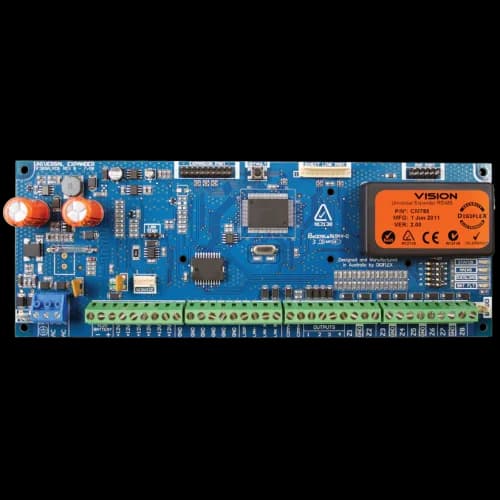
Bosch · Alarms
BO-CM705PB Universal Expander PCB for 6000 Series Panels
Model / SKU: BO-CM705PB
Control panel
$380.00incl. GSTShowroom availability to be confirmedView product ↗ RHODIUMSECURITY Your cart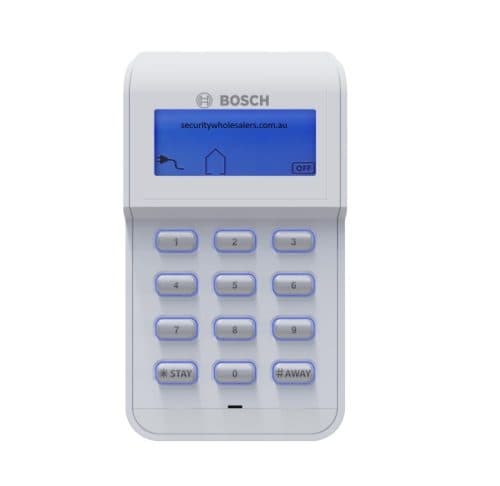
Product image. Check the selected model, lens, colour and package contents before ordering.
Bosch · Alarms
Model / SKU: IUI-SOL-ICON-2
Bosch IUI-SOL-ICON-2 LCD Icon Keypad for Solution 2000, 3000, 4000, 2100, 3100 and 4100 Alarm Panels. The Bosch IUI-SOL-ICON-2 is an easy-to-use 16-zone LCD icon keypad designed for compatible Bosch Solution alarm systems. It features illuminated keys, adjustable keypad volume, a dim night-light mode, single-button arming options and dedicated fire, medical and panic alarm functions. Compatible with Bosch Solution 2000, 3000, 4000, 2100, 3100 and 4100 control panels. Bosch Icon-2 brochure pdf The Bosch IUI-SOL-ICON-2 LCD Icon Keypad provides a clear and straightforward interface for operating compatible Bosch Solution alarm systems. Its LCD screen uses a combination of numbers, words and easy-to-recognise icons to display the current condition of the alarm system. The keypad can display up to 16 zones, making it suitable for residential, retail and small commercial security installations. The keypad includes ten numeric keys and two dedicated function keys. Pressing a key activates the keypad backlighting and produces an audible keypress tone. The built-in sounder also generates different tones for system events, helping users recognise alarm, warning and keypad conditions. A configurable night-light function can dimly illuminate the display and keys while the keypad is idle, making it easier to locate in dark hallways, bedrooms or entry areas. Keypad volume can also be adjusted to suit the installation environment. The IUI-SOL-ICON-2 supports convenient single-button arming and disarming options, subject to the programming of the connected alarm panel. It also provides access to fire, medical and panic alarm functions where these features have been enabled by the installer. The keypad is supplied in white with a removable protective door, mounting hardware and installation instructions. Key Features 16-zone LCD icon display Clear system status using words, numbers and symbols Compatible with multiple Bosch Solution alarm panels Adjustable keypad volume Illuminated keys and display Configurable night-light or dim mode Single-button arming and disarming options Fire, medical and panic alarm functions Built-in sounder with distinct system tones Removable protective keypad door Compact white housing Compatibility The Bosch IUI-SOL-ICON-2 is designed for use with: Bosch Solution 2000 Bosch Solution 3000 Bosch Solution 4000 Bosch Solution 2100 Bosch Solution 3100 Bosch Solution 4100 It is not a universal alarm keypad and should only be used with a supported Bosch Solution control panel. Technical Specifications Specification Details Product model IUI-SOL-ICON-2 Bosch order number F.01U.418.605 Display LCD icon display Zone display capacity 16 zones Nominal voltage 12 VDC Standby current 30 mA Alarm current 60 mA Dimensions 140 mm × 77 mm × 26 mm Weight 160 g Colour White Operating temperature 0°C to 50°C Operating humidity 20% to 90%, non-condensing Protective door Removable Specifications are based on the manufacturer’s April 2026 datasheet. What Is Included 1 × Bosch IUI-SOL-ICON-2 keypad 1 × Hardware pack 1 × Installation manual Frequently Asked Questions Is this keypad compatible with the Bosch Solution 6000? No. The manufacturer lists compatibility with the Solution 2000, 3000, 4000, 2100, 3100 and 4100 control panels. It should not be purchased for a Solution 6000 system unless compatibility has been separately confirmed by Bosch. Does this keypad display zone names? This is primarily an icon-style LCD keypad. It displays alarm conditions using numbers, symbols, icons and limited words rather than providing the same full text experience as a dedicated alphanumeric keypad. How many zones can it display? The keypad provides a 16-zone display. Can the keypad arm the alarm without entering a code? Single-button arming and disarming options are supported, but the available functions depend on how the alarm panel has been programmed. For security reasons, an installer may enable one-touch arming while still requiring a valid user code for disarming. Does it have backlit buttons? Yes. The keypad keys and display illuminate during operation. A night-light setting can also dimly illuminate the keypad while it is idle. Can the keypad volume be adjusted? Yes. The keypad volume is adjustable. Does it have panic buttons? The keypad supports fire, medical and panic alarm functions. These must be correctly programmed in the alarm panel before use. Is this a wireless keypad? No. This is a wired keypad that connects to the compatible Bosch Solution alarm panel and is powered from the system’s 12 VDC keypad bus. Can I install more than one keypad? Compatible Bosch panels generally support multiple keypads, but the permitted number and wiring arrangement depend on the control panel model, available bus capacity, cable length and total current draw. Check the panel installation manual before adding additional keypads. Does this product include an alarm panel? No. This listing is for the keypad only. A compatible Bosch Solution control panel, enclosure, battery, detectors, sirens and other system components are sold separately. Is professional installation required? Professional installation is strongly recommended. The keypad must be correctly wired, addressed where required and programmed through the alarm control panel. Installer Notes Confirm the exact alarm panel model before ordering. This keypad is intended for the Bosch Solution 2000, 3000, 4000, 2100, 3100 and 4100 series. Isolate mains power and disconnect the alarm panel battery before connecting or removing keypad wiring. Connect the keypad to the panel’s designated keypad or communications bus in accordance with the relevant panel installation manual. Observe the correct terminal polarity and bus wiring order. Incorrect wiring may prevent communication or damage equipment. Allow for a maximum keypad draw of approximately 60 mA in alarm mode when calculating total auxiliary and bus power consumption. Check the combined current draw of all keypads, detectors, expanders, communicators and powered accessories. For longer cable runs, verify voltage at the keypad under load and follow Bosch cable-size and distance recommendations. Keep keypad cabling away from mains wiring, fluorescent lighting circuits, variable-speed drives and other sources of electrical interference. Install indoors in a dry location within the specified operating range of 0°C to 50°C and 20% to 90% non-condensing humidity. Mount the keypad at a practical operating height near the main entry or exit point. Configure night-light brightness, audible volume, one-touch arming and emergency key functions during commissioning. Test arming, disarming, entry and exit delays, zone indication, trouble display, panic functions and audible tones before handover. Clearly explain to the customer that emergency key functions only operate as intended when they have been programmed and, where applicable, connected to a reporting or monitoring service. Changing the keypad does not reset user codes or panel programming, although programming may be required when adding a new keypad to an existing system.
incl. GST · Equipment supply
Price checked 6 September 2026Ask about this model at 12 Stelvio Close, Lynbrook VIC 3975. Monday–Friday, 9am–5pm; Saturday 9 am–1 pm; closed Sunday. Online ordering is being prepared. Confirm availability and collection arrangements with the showroom before travelling.
Collection information ↗Equipment supply does not include installation unless expressly included in your confirmed quote. Check compatibility with existing cameras, recorders and cabling before buying. Kit storage and additional equipment depend on the selected options.
Compare the listed model, lens and equipment options with the area you need to see. For an upgrade, have your current recorder model ready so compatibility can be checked. Equipment prices are separate from installation unless your quote says otherwise.
Model / SKU: BO-CM705PB
Control panel
$380.00incl. GSTShowroom availability to be confirmedView product ↗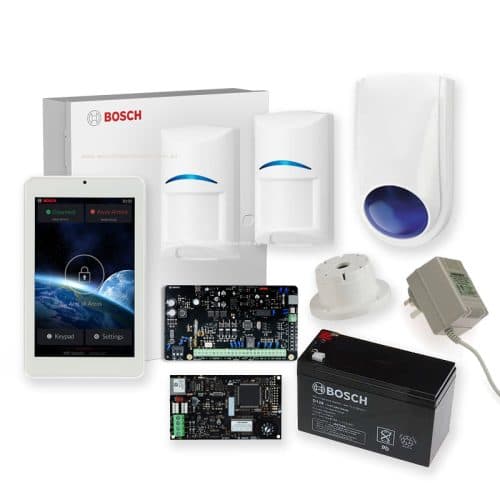
Model / SKU: Bosch2000-2QPIR-7-IP
Alarm kit
$1,183.00incl. GSTShowroom availability to be confirmedView product ↗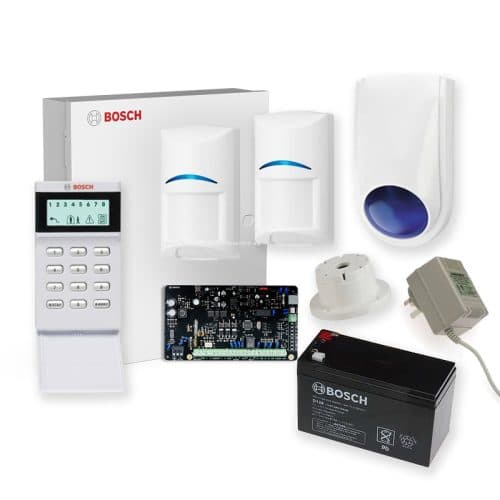
Model / SKU: Bosch2000-2PIR-KIT
Alarm kit · Keypad
$449.90incl. GSTShowroom availability to be confirmedView product ↗